Every AI coding assistant claims to make you faster. Almost none of them tell you how long it takes to get from “I just installed this” to “I just shipped a commit it helped write.” That gap — setup friction, auth flows, context indexing, the first usable suggestion — is exactly where a lot of tools quietly lose developers before they ever see the tool’s actual coding ability.
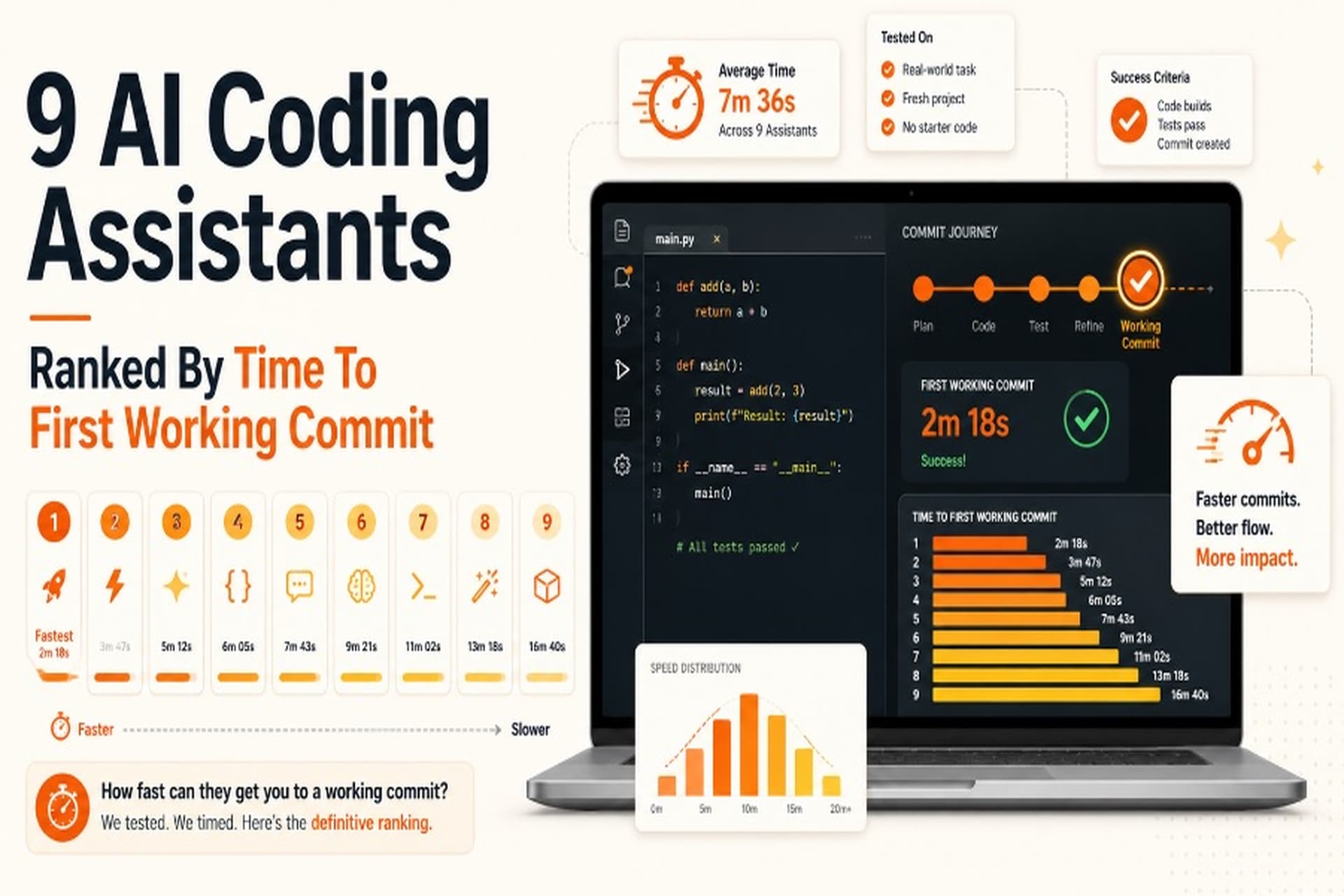
This breakdown ranks nine of the AI coding assistants developers are actually evaluating in 2026 by time-to-first-working-commit: the elapsed time from opening the install page to having AI-assisted code you’d actually commit to a repo. It’s a narrower, more testable question than “which one is best,” and it’s the question that determines whether a tool gets a fair evaluation from your team or gets uninstalled in the first ten minutes.
Methodology, Briefly
Time-to-first-working-commit was assessed by mapping each tool’s official quickstart flow step by step — install method, authentication requirements, any indexing or context-building delay, and the number of actions between “installed” and “first accepted suggestion you’d keep” — then converting that step count into a realistic elapsed-time band, cross-checked against onboarding experiences reported in current developer reviews. It measures setup friction, not raw coding capability — a tool that ranks near the bottom here can still be the more powerful assistant once it’s running, and several are.
Key Takeaways
- Time-to-first-working-commit provides a practical way to compare AI coding assistants by measuring how quickly developers move from installation to usable, commit-ready code.
- Setup friction matters: authentication, IDE installation, API keys, context indexing and the first usable AI suggestion can significantly affect a developer’s initial experience.
- The comparison evaluates nine AI coding assistants in 2026, focusing specifically on the early workflow rather than attempting to declare one tool universally “best.”
- GitHub Copilot and Replit Agent offer particularly quick routes to an initial AI-assisted commit, while other tools introduce additional setup or configuration steps.
- Tools such as Windsurf, Cursor and Claude Code require different levels of installation, configuration or authentication before developers can begin evaluating their coding capabilities.
- Cline, Amazon Q Developer, Aider and Tabnine can involve additional setup considerations, including API keys, AWS identity configuration, Python environments or account-tier decisions.
- Measuring the first working commit gives teams a more focused evaluation metric because it captures the practical gap between installing an AI coding tool and actually using it in a development workflow.
TL;DR — Ranked Fastest to Slowest
| Rank | Tool | Time-to-First-Commit | Primary Friction Point |
|---|---|---|---|
| 1 | GitHub Copilot | ~2 minutes | None — extension + GitHub login |
| 2 | Replit Agent | ~3 minutes | Browser-based, no local install |
| 3 | Windsurf | ~6 minutes | Full IDE download |
| 4 | Cursor | ~7 minutes | IDE download + settings import |
| 5 | Claude Code | ~9 minutes | Terminal install + auth |
| 6 | Cline | ~12 minutes | Requires your own API key |
| 7 | Amazon Q Developer | ~14 minutes | AWS identity setup |
| 8 | Aider | ~16 minutes | Python environment + API key |
| 9 | Tabnine | ~20 minutes | Account tier decision; longer for on-prem/enterprise |
1. GitHub Copilot — ~2 Minutes
Copilot wins this ranking because it removes almost every friction point on the list. If you already have a GitHub account — and most developers do — the entire flow is: install the VS Code or JetBrains extension, authorize with the account you’re already logged into, and start typing. Autocomplete suggestions appear immediately, no indexing delay, no separate API key, no model selection screen.
The trade-off shows up later, not at setup: Copilot’s context window (64K tokens) is narrower than several competitors, so the speed advantage is strongest for small, self-contained commits rather than large multi-file refactors. For the specific metric this article ranks by, that limitation doesn’t matter — it’s still the fastest path from zero to a committable suggestion.
Best for: Developers who want the lowest-friction starting point and already live in VS Code or a JetBrains IDE.
2. Replit Agent — ~3 Minutes
Replit Agent’s advantage is structural: there’s no local install step at all. Sign up, open a workspace in the browser, describe what you want built, and the agent starts generating and running code in the same tab. For a from-scratch project, this is genuinely the fastest way to get from nothing to running, committable code, because it skips the download-and-configure phase entirely.
It loses a little time relative to Copilot because the sign-up flow and initial project scaffolding take marginally longer than authorizing an existing GitHub account, and there’s a brief pause while the workspace environment spins up. For greenfield prototypes and small apps, though, it’s essentially tied for first place.
Best for: New projects and prototypes where you don’t already have a local repo you’re working against.
3. Windsurf — ~6 Minutes
Windsurf ships as a full IDE (a VS Code fork), which means the first friction point is simply the download size and install time rather than anything about the sign-up flow itself, which is otherwise smooth. Once it’s running, the free tier is generous and Cascade — Windsurf’s agentic mode — can pick up your existing settings quickly.
Where it costs a couple of extra minutes over Copilot and Replit is the same place every VS Code fork does: you’re installing an entire editor, not adding a plugin to one you already have open. That’s a one-time cost, and reviewers consistently note the guided setup flow is one of the smoothest among the full-IDE options.
Best for: Developers willing to trade a slightly longer install for a purpose-built agentic editor with a strong free tier.
4. Cursor — ~7 Minutes
Cursor is another VS Code fork, so it carries the same baseline install-time cost as Windsurf, plus one extra step for most users: importing existing VS Code extensions, keybindings, and settings so the new editor actually feels familiar. That import step is optional but most developers run it, and it adds a couple of minutes to the process.
The payoff for that extra setup time shows up fast, though — Cursor’s Composer feature for multi-file edits is widely regarded as the most mature in the category, and the editor is functional immediately after the import completes. This is a case where a slightly longer time-to-first-commit buys you a materially more capable tool for anything beyond a single-file change.
Best for: Developers who want the most complete AI-native editor and don’t mind a one-time settings-import step.
5. Claude Code — ~9 Minutes
Claude Code is a terminal-first tool, which changes the shape of its setup: instead of a GUI installer, you’re running an install command, authenticating, and then pointing it at a project directory. For developers comfortable in a terminal, this is fast. The extra couple of minutes versus the IDE-based tools comes from the authentication step and, on larger repositories, an initial pass where the tool builds an understanding of the codebase before its first suggestion is fully reliable.
That indexing time is also exactly why Claude Code ranks where it does rather than lower: on large, unfamiliar repositories, a tool that spends a few extra minutes understanding the codebase before generating code tends to produce a first suggestion worth committing, rather than one that needs three follow-up rounds of correction.
Best for: Developers working from the terminal on large or unfamiliar repositories who want a planning step before code gets generated.
6. Cline — ~12 Minutes
Cline is a VS Code extension, so the editor-install cost that slows down Windsurf and Cursor doesn’t apply here — the extra time comes from a different source entirely. Cline is bring-your-own-key by design, which means before you generate a single line of code, you need to go generate an API key from whichever model provider you want to use (Anthropic, OpenAI, or others) and paste it into the extension’s settings.
That’s a genuinely useful trade-off for teams that want vendor independence and transparent, pay-as-you-go pricing instead of a subscription. It’s also, unavoidably, an extra few minutes of setup that tools with a bundled subscription don’t require.
Best for: Developers who want model flexibility and transparent per-request costs over a fixed monthly subscription.
7. Amazon Q Developer — ~14 Minutes
Amazon Q Developer’s install itself — an IDE extension — is comparable in speed to Copilot’s. What pushes its time-to-first-commit higher is the authentication layer underneath it: getting set up typically means creating or connecting an AWS Builder ID, or working through existing IAM permissions if you’re setting it up through an organization’s AWS account. That’s a meaningfully heavier identity flow than “log in with the GitHub account you already have open.”
Once past that step, the extension behaves similarly to other IDE-integrated assistants. The extra time is entirely front-loaded into identity and access setup rather than anything about code generation itself, which makes sense given the tool’s target audience is teams already operating inside AWS.
Best for: Teams already standardized on AWS infrastructure where the identity setup is a one-time organizational cost, not a per-developer one.
8. Aider — ~16 Minutes
Aider is a git-first, terminal-based tool, and its setup reflects that audience directly: a pip install, a Python environment that needs to be in reasonable shape, and an API key from your model provider of choice, configured before the tool will run. None of these steps are individually hard for a developer who already lives in a terminal, but they stack — environment issues in particular are the most common source of delay for anyone whose Python setup isn’t already clean.
The payoff is a tool built specifically around diff review and git workflow, which is arguably a more natural fit for “time-to-first-working-commit” as a philosophy than any GUI tool on this list — Aider’s entire interaction model is built around producing a reviewable diff you commit. It just takes longer to get to that first diff than it does with an extension-based tool.
Best for: Developers who want a CLI-native, git-centric workflow and don’t mind managing their own Python environment and API costs.
9. Tabnine — ~20 Minutes
Tabnine lands last on individual setup time for a specific reason: unlike the other eight tools, a meaningful share of its user base is evaluating it specifically for on-prem, VPC, or air-gapped deployment — the use case it’s built to serve. For an individual developer just trying the hosted version, setup is closer to the other extension-based tools on this list. But the account-tier decision itself (hosted vs. private, team vs. individual) adds deliberation time that the simpler subscribe-and-go tools don’t require, and for any organization actually deploying the on-prem option, the real setup timeline is measured in days, not minutes — that’s a separate, much longer process this ranking doesn’t attempt to capture.
Best for: Regulated environments and teams where code cannot leave the network under any circumstances — the setup cost buys a deployment model no other tool on this list offers.
What the Ranking Actually Tells You
Two patterns are worth pulling out of this list rather than just the ranking itself.
Setup speed and coding capability are not the same axis. Copilot wins on speed and has the narrowest context window on this list. Claude Code and Cursor cost a few extra minutes at setup and are consistently rated among the strongest tools for large, multi-file work. If your evaluation criteria is “how fast can I try this,” rank order matters. If it’s “which tool should my team actually adopt,” time-to-first-commit is one input, not the deciding one.
The friction points cluster into three types, and which one matters to you is a better filter than the overall ranking:
- Editor-install friction (Windsurf, Cursor): a one-time cost for a purpose-built environment.
- Identity/auth friction (Amazon Q Developer, Claude Code): often a bigger deal for organizations than individuals, since it’s frequently a one-time setup cost per team rather than per developer.
- Configuration friction (Cline, Aider, Tabnine): API keys, environment setup, or deployment-model decisions that trade a longer setup for more control over cost, vendor, or data residency.
Why Rank by This Metric Instead of “Best Overall”
A “best AI coding assistant” list is easy to write and easy to dismiss — it usually reduces to which tool the author personally prefers, dressed up as a verdict. Time-to-first-working-commit is deliberately narrower and more testable: it’s a specific, repeatable question anyone can check against a tool’s own documentation, not an opinion. That specificity matters for two practical reasons.
First, it’s the actual decision-relevant question in the first ten minutes of any trial. Most developers don’t evaluate five tools in parallel for a week — they install one, form an impression fast, and either keep going or move on. A tool that loses someone in setup never gets evaluated on its actual coding ability at all, which makes onboarding friction a real, measurable cost even for a tool that would otherwise be the better long-term fit.
Second, a concrete metric like this is easier to verify and re-test than a subjective ranking. If GitHub Copilot changes its onboarding flow, or Cursor adds a step to its import process, the ranking above can be re-checked against the new quickstart docs rather than re-argued from scratch. That’s a small thing for an individual reader, but it’s exactly the kind of specific, checkable claim that tends to get cited accurately rather than paraphrased into a vague “some say Copilot is easy to use.”
Reader Questions
Does a faster setup mean a better tool?
No. This ranking measures friction to a first usable result, not code quality, context window, or long-term output. Several of the tools near the bottom of this list — Claude Code and Aider in particular — are rated highly for the actual coding work once they’re running.
Why does Amazon Q Developer take longer than other IDE extensions?
The extension install itself is fast; the added time comes from AWS identity setup (Builder ID or IAM), which is a heavier authentication flow than logging into an account you already have open, like GitHub.
Is Tabnine’s ranking fair given it’s built for enterprise deployment?
Partly not — this ranking measures the individual hosted-version setup, which is genuinely the slowest on this list even before accounting for on-prem deployment. For an organization deploying the private or air-gapped version, real setup time is measured in days, and that’s a separate consideration this metric doesn’t capture.
Do bring-your-own-key tools (Cline, Aider) cost more in the long run?
Not necessarily — they often cost less for moderate usage, since you pay per API call instead of a flat subscription. They just require an extra setup step (generating and entering an API key) that subscription-based tools skip.
Final Verdict: Which Tool Fits Which Setup Priority
Choose GitHub Copilot if you want the fastest possible path from zero to a committable AI suggestion and you’re already working inside VS Code or a JetBrains IDE. Nothing on this list gets you there faster.
Choose Replit Agent if you’re starting a project from scratch and don’t want a local install at all — it’s the only tool here that skips the install step entirely.
Choose Cursor or Windsurf if you’re willing to spend a few extra minutes installing a dedicated editor in exchange for stronger multi-file editing than an extension-based tool typically offers.
Choose Claude Code if you’re working from the terminal on a large, unfamiliar codebase and would rather the tool spend a few minutes understanding your repo before it starts generating code.
Choose Cline or Aider if vendor independence and transparent, usage-based pricing matter more to you than shaving a few minutes off setup.
Choose Amazon Q Developer if your team is already standardized on AWS and the identity setup is a one-time organizational cost rather than something every developer repeats.
Choose Tabnine if code leaving your network isn’t an option — it’s the only tool on this list built specifically to solve that constraint, and it’s worth the longer setup for teams that actually need it.
The fastest setup isn’t automatically the right choice — but knowing exactly where each tool spends its onboarding time means you can pick based on which friction you’re willing to accept, instead of finding out the hard way ten minutes into a trial.
Wrapping Up
AI coding assistants are becoming an important part of modern software development, but choosing the right tool is about more than generation speed. The real advantage comes from how effectively an assistant understands a project, handles changes, validates its work and fits into an existing development workflow.
For developers, the best approach is to evaluate these tools against real tasks rather than relying solely on benchmarks or feature lists. A tool that consistently reduces debugging, review and setup time can deliver far greater value than one that simply produces code faster.
As AI coding agents continue to improve, time-to-first-working-commit provides a practical way to judge their impact. The winning assistant is ultimately the one that helps developers move from an idea or issue to reliable, maintainable code with less friction and greater confidence.